Shifter proxies in your browser, one click away.
Route Chrome or Firefox through your Residential Proxies or ISP Proxies plan. Pick a location, keep a sticky IP and skip the proxy setup.




A new country, one click later.
Pick another location and the browser reconnects through a residential IP there. No restart, nothing to retype.
Your browser  Shifter
Your whole plan, in the toolbar.
No hosts, ports or usernames to type. The extension reads your plans and builds the connection for you.
Plans
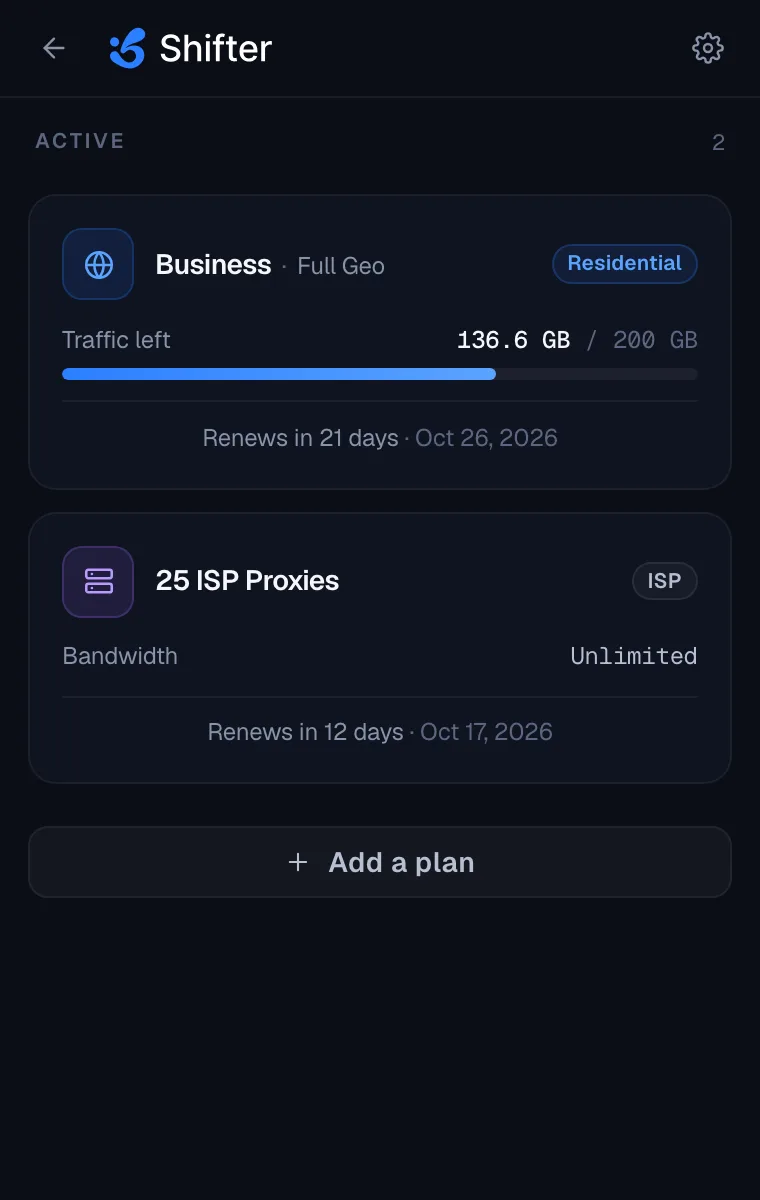
Every plan, with the traffic left
See your Residential Proxies and ISP Proxies plans with the traffic left on each, and move the browser to another plan in one click.
Location
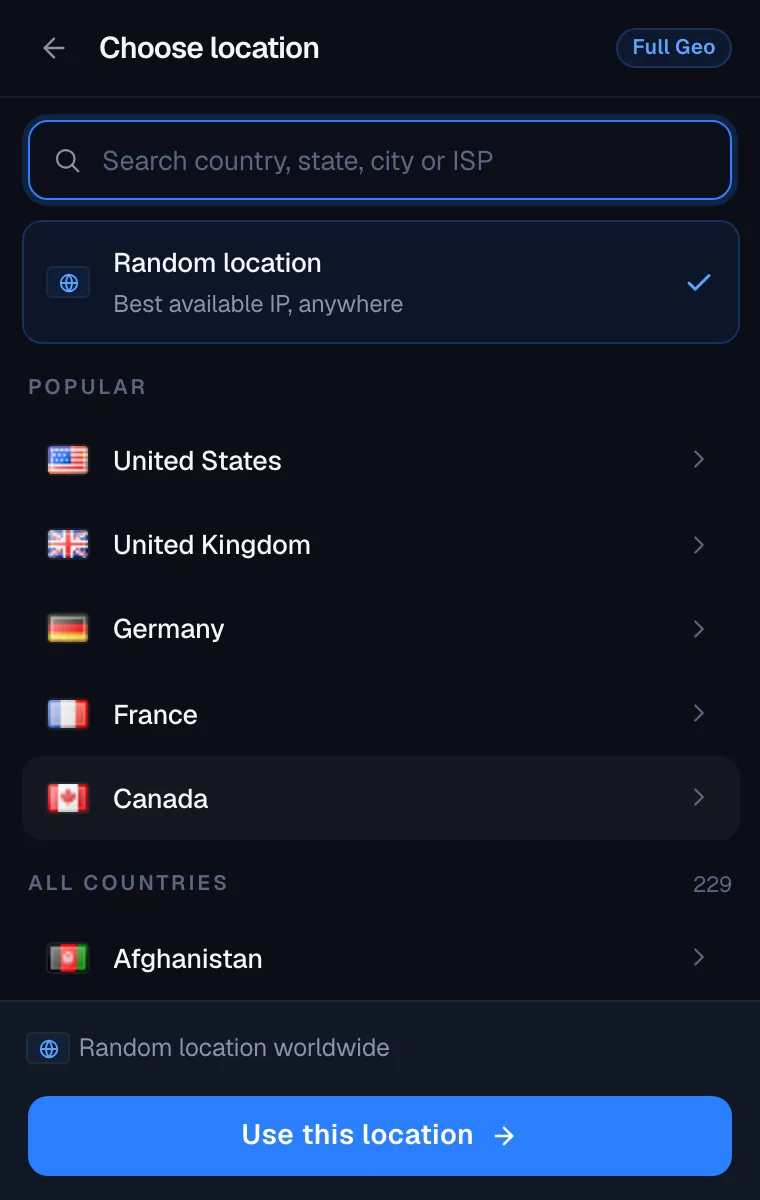
Pick a location your plan supports
What you can target follows the pool of your Residential Proxies plan, and the extension only offers what your plan supports.
- Full Geo Country, state, city or ISP (ASN), from one search box.
- Country Geo Any country.
- Non-Geo Random IPs worldwide.
IP session
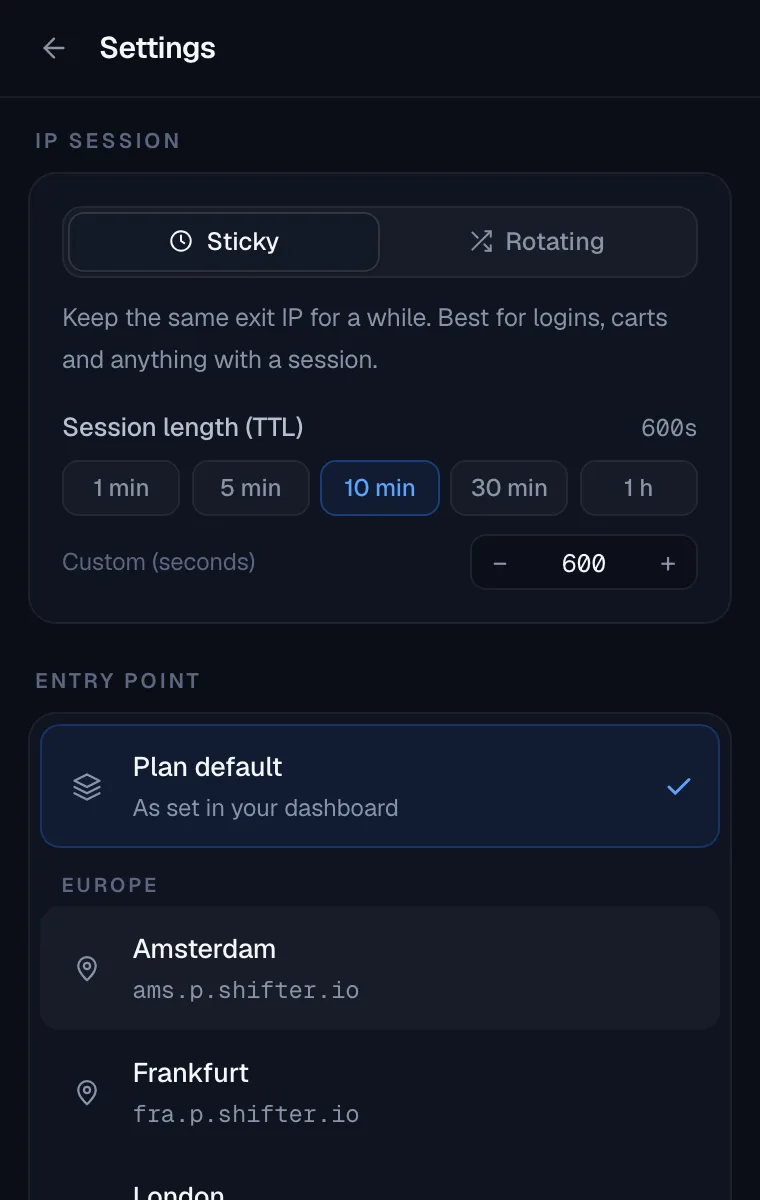
Sticky IP or a new IP per request
Choose how often your exit IP changes, and rotate it whenever you want.
- Sticky IP One exit IP for 10 minutes, or any length you set.
- New IP per request A fresh exit IP on every request.
- Get a new IP Rotate on demand, with no settings to change.
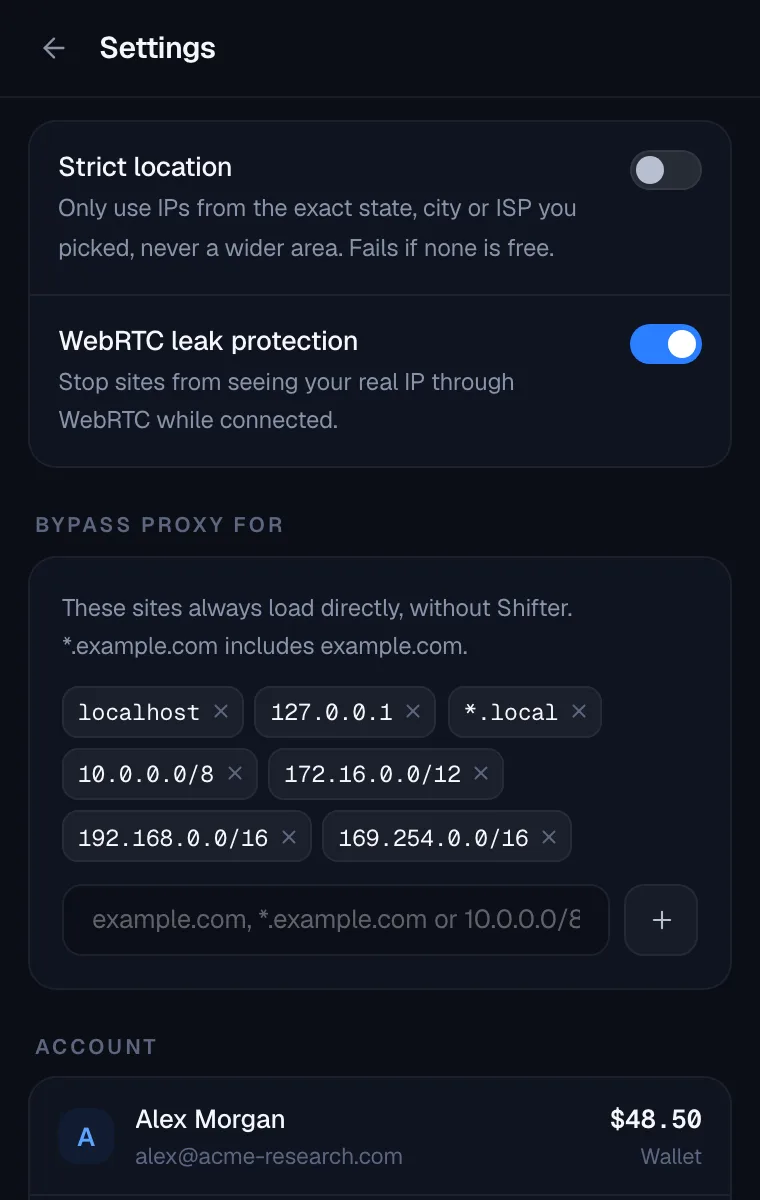
- Strict location Only IPs from the exact state, city or ISP you picked.
Privacy and control
Your real IP stays out of sight
Two settings take care of the details that usually trip up a manual proxy setup.
- WebRTC leak protection On by default, so sites cannot see your real IP.
- Bypass list Local addresses load directly. Add any domain that should skip the proxy.
ISP IP selection
On an ISP Proxies plan, choose any of the plan's static ISP IPs and the browser keeps using that one.
Entry points
Use the nearest region, or fix one of 8 entry points so a sticky IP survives network changes.
Exit check
After connecting, the extension checks your exit IP and country on IP Info, Shifter's free IP lookup tool.
Private windows
Works in private windows, such as Incognito in Chrome, once you allow it in the browser's extension settings.
Connected in three steps.
- 01
Install
Add the extension from the Chrome Web Store or Firefox Add-ons and pin the Shifter icon to your toolbar.
- 02
Paste your API key
Copy your API key from your Shifter profile and paste it into the extension. It is stored only in that browser.
- 03
Pick a location and connect
Choose a plan, a location and a session type, then connect. Every tab in that browser now goes out through Shifter.
Supported browsers
- Chrome Web Store
Chrome
Also Brave and Opera, from the Chrome Web Store.
- Firefox Add-ons
Firefox
Desktop
Shifter apps
Windows macOS Linux iOS Android What you need
- An active Residential Proxies or ISP Proxies plan.
- Your Shifter API key, from your profile.
- Chrome, Brave, Opera or Firefox on a computer.
Legacy backconnect plans, the Web Scraping API and the SERP API do not work with the extension.
Frequently asked questions
Is the Shifter extension a VPN?
No. It routes only the traffic of the browser it is installed in through Shifter proxies. Other browsers, desktop apps and the rest of your device keep using your own connection, so it is not a system-wide VPN.
Which plans work with the extension?
Residential Proxies plans on the Full Geo, Country Geo and Non-Geo pools, and ISP Proxies plans. Legacy backconnect plans, the Web Scraping API and the SERP API are not supported.
Which browsers are supported?
Chrome, plus Brave and Opera, which install it from the Chrome Web Store, and Firefox on desktop.
Where is my API key stored?
Only in the browser where you pasted it. The extension sends it to Shifter's own API to load your plans and settings, and nowhere else.
Can I keep the same IP while I work?
Yes. Choose Sticky IP to keep one exit IP for the session length you set, 10 minutes by default. On an ISP Proxies plan you can pick one static IP and keep using it.
Does it work in private windows?
Yes, once you allow the extension to run in private windows in your browser's extension settings.
Put your plan in your browser.
Install the extension, paste your API key and pick a location.